
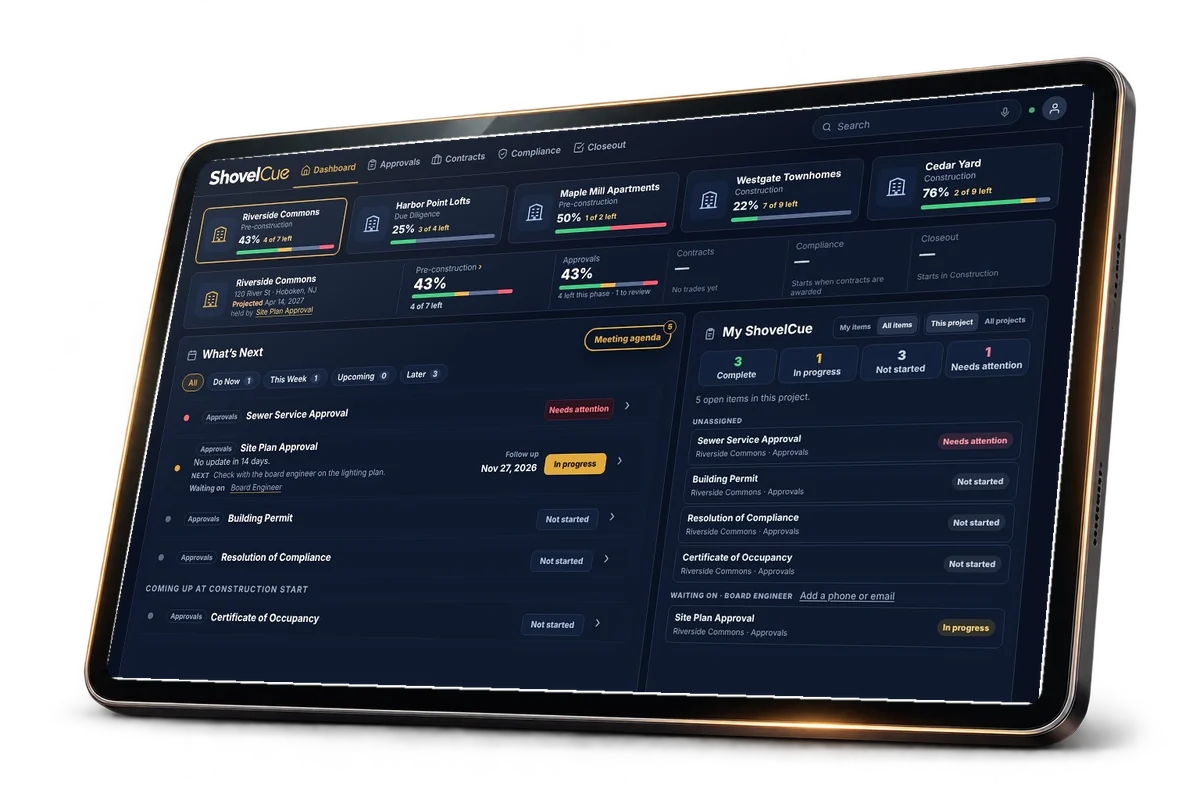
Get shovel ready faster
Every approval and permit your project needs, with who has each one and what is next.

Project readiness intelligence
For owners, developers and owner’s representatives.
Drop in your survey, site plan, contracts or permits, or just answer a few quick questions about your project. ShovelCue reads them and identifies the approvals, permits, contracts, compliance requirements and closeout deliverables your project is likely to need, who is responsible for each one, and what is holding up your projected construction start date.
No account needed for your first report.
Every approval and permit your project needs, with who has each one and what is next.
Do it with the same team. ShovelCue keeps the lists current, so your people focus on decisions.
See what is late and what is next, and who needs to act.
ShovelCue tracks a project through five phases.
Four modules hold the work.
The work an owner would otherwise chase with calls, messages and spreadsheets.
See the approvals and permits your project likely needs and a projected start date in minutes.
Line up the bids for each trade side by side and award with confidence.
Notice windows, insurance expirations and payment deadlines are flagged before they cost you.
Each month’s pay applications and lien waivers are tracked for the GC and every trade.
Each contractor sees what you need from them and sends it straight to you.
Warranties, manuals and as builts are listed by trade from the start, so turnover is never a scramble.
Link your contractor’s Procore or Autodesk Construction Cloud project once.
Drawings, specs, contracts, change orders, insurance, inspections, closeout items, meetings and the schedule come into ShovelCue for you to confirm.
Pick the sheets and spec sections you need and ShovelCue sends them to bidders with one link.
Coming soon. Closeout items and approved permits go back into their project, each one approved by you first.
Tap the microphone and say what happened on the job. Cue makes the change right away, and you can undo it.
Little to no data entry. ShovelCue builds the lists from your project type and location, reads the documents and spreadsheets you upload, and takes updates in plain speech.
State rules are on file for these states. Each one links to how long approvals take there.
Projects in other states get the national list and a note to check the state agencies. More states are coming.
No. ShovelCue works alongside them.
ShovelCue is a web app that keeps the owner’s side of a construction project on time, from site selection to closeout. It tracks the approvals, permits, contracts, compliance and closeout items a project needs, shows the date the project can start and the item that date is waiting on, and works for owners, developers, owner’s representatives and the builders who work with them.
You can track a project anywhere in the United States. State rules are on file for 20 states today. A project in any other state gets the national list and is told to check the state agencies too.
Public sources, with every item linked so you can check it. Towns differ, so confirm every item locally.
Tap the microphone and say what changed in your own words. ShovelCue works out which items you mean, makes the change right away and tells you what it did, with Undo if it got it wrong. It needs a browser that supports voice typing.
No account needed for your first report.